
Looks fine before uploadSimple tile split
The files look correct, but the composition breaks once profile crop and gutter behavior kick in.








Free seamless Instagram grid maker
Split one artwork into a puzzle that lines up in the real profile, or turn nine posts into one landing page with a shared background, logo and text. Preview the exact 3:4 crop and gaps, then export every post in publishing order — without trial uploads.
The files look correct, but the composition breaks once profile crop and gutter behavior kick in.
Composition and export order are checked against the surface people really see inside Instagram.









The problem
Most online tools only split one image into tiles. They do not optimize the result for the real Instagram profile surface.
Canva and Figma can get you part of the way, but for this use case the workflow is slow, manual, and too dependent on design skill.
Teams end up testing by hand in Instagram and still miss the fact that the uploaded landing no longer reads as one clear composition.
Expectation vs reality
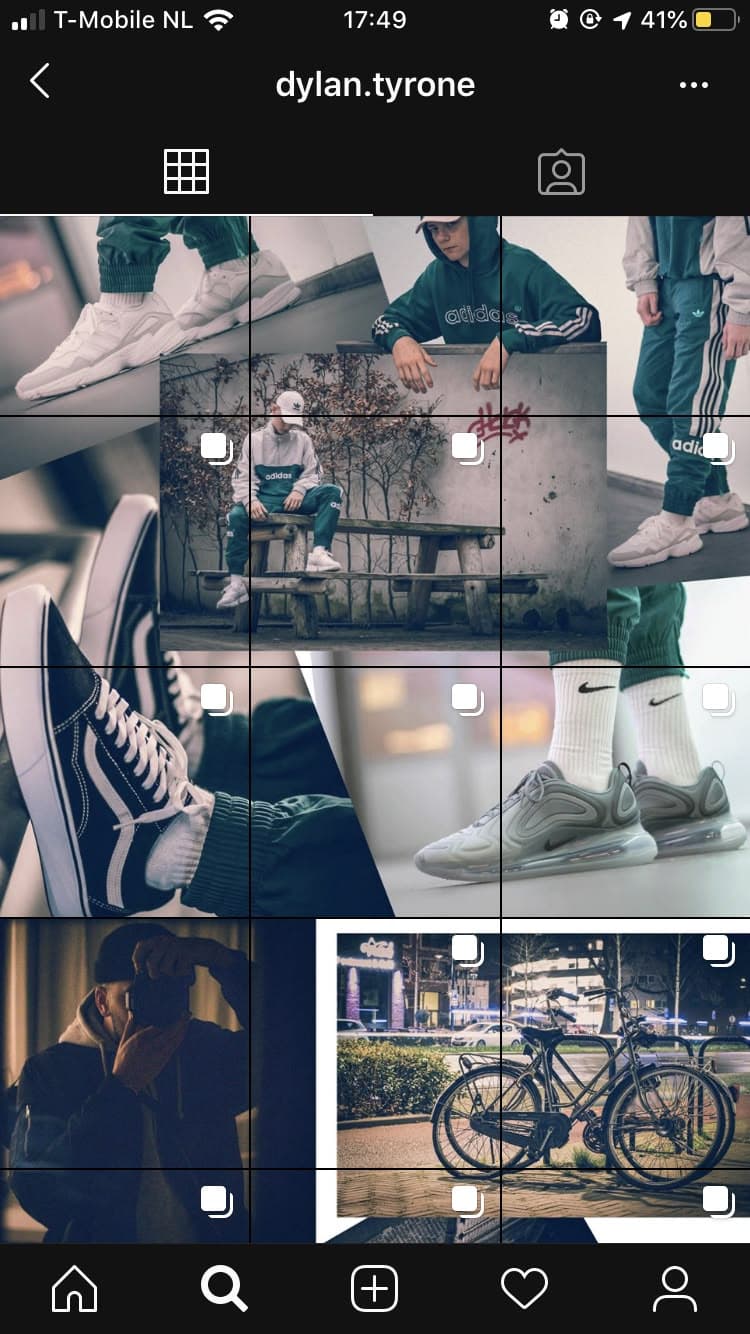
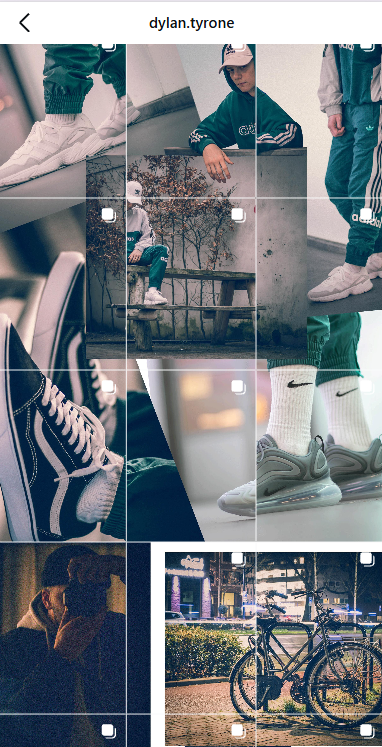
These cases show the same pattern from two angles: the reference collage looks clean before upload, then profile chrome, crop, and gutters push the composition off once it is live.
As a concept image, the landing looks centered and tidy. Nothing in the mockup shows how the live profile surface will shift it.
After publishing, the same landing no longer reads as one clean layout: the tiles drift, the center shifts, and the composition stops behaving like the reference.


The solution
Build one continuous landing first, then let the editor slice it without losing the big-picture composition.
Add local text and accents only where each square needs its own message, without breaking the overall landing.
Check the profile view against modern thumbnail behavior before you export anything.
Export in the posting order that preserves the landing reveal instead of leaving the last step to guesswork.
Separate posts
Not every grid is one image cut into tiles. If you publish separate posts — a shoot, a product drop, a portfolio batch — Instiles shows how they will sit next to each other in the profile before anything goes live.
Two profile grids with the same nine posts. In the scheduled order two dark posts stack in the right column; after reordering they are spread across the grid.
A calendar or single-post preview never shows that two dark shots will land in the same corner.
Swap two posts and the profile reads evenly again — before you publish anything.
Examples
Explore connected layouts made for launches, editorial stories, profile resets, and visual campaigns.



Use cases
Same editor, different jobs: one seamless artwork, a batch of separate posts, or both in one feed.
After the switch to the vertical 3:4 grid, check how every vertical crops and how the series reads before updating the portfolio.
Read the guide →Order nine shots so light and dark frames alternate instead of clustering in one corner of the profile.
Read the guide →Keep your scheduler. Use Instiles to agree on the grid order with the client, then hand off files numbered in posting order.
Read the guide →Combine a connected banner row with separate product photos in one plan: puzzle tiles and photo posts share the same grid.
Read the guide →Split one artwork into a seamless 1x3 to 4x3 puzzle that survives profile crop and gaps.
Read the guide →Build a launch landing with shared artwork, per-post copy, and a CTA tile, then publish it in the right order.
Read the guide →Workflow
Compose one master canvas — or drop in a batch of separate photos.
Preview the profile as people will actually see it on mobile, and reorder posts until it reads right.
Export every post numbered in the exact order the feed needs.
FAQ
Short answers to what people usually ask before opening the editor.
A basic splitter cuts one image into squares. Instiles focuses on how the full composition will actually read inside the Instagram profile after publishing.
Yes. Upload up to 12 photos at once: each fills its own cell with the real profile crop, and you can drag posts to swap them until light and dark frames sit well together.
Yes. Keep scheduling in Later, Buffer, Planoly, Postiz, Meta Business Suite, or any other tool. Use Instiles to check how the posts will sit in the grid, or export files numbered in posting order.
Yes. The default profile preview uses 3:4 cells with real gaps, so 4:5, square, and tall posts are center-cropped the way the profile shows them.
Yes. It is designed for campaign landings, promo drops, editorial grids, creator launches, and other connected-post layouts.
Not as a full design suite. It solves a narrower job: building Instagram layouts with profile-aware preview and export order.
Next step
Open the editor, split one composition or drop in your photos, and get ready-to-publish posts in the right order.